Is your hi-res
actually hi-res?
A file can say 24-bit/96kHz and still be an MP3 inside. Lacquer reads the audio itself — not the tags — and shows you the evidence. Free, on device, nothing uploaded.
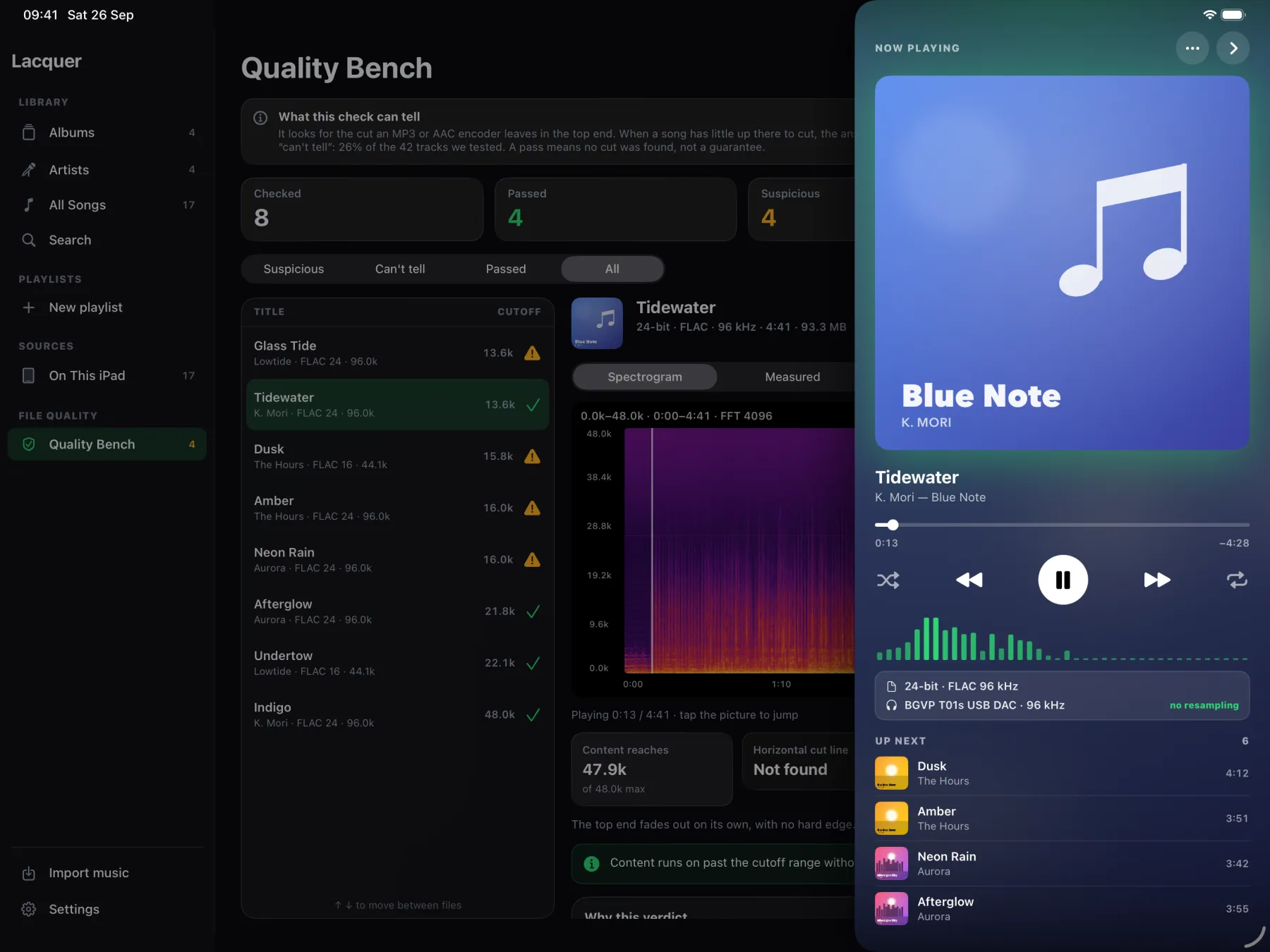

Turn the record over.
Tap the artwork while a track plays and it flips to the label: format, bit depth, sample rate, the device you're listening on and the rate coming out of it.
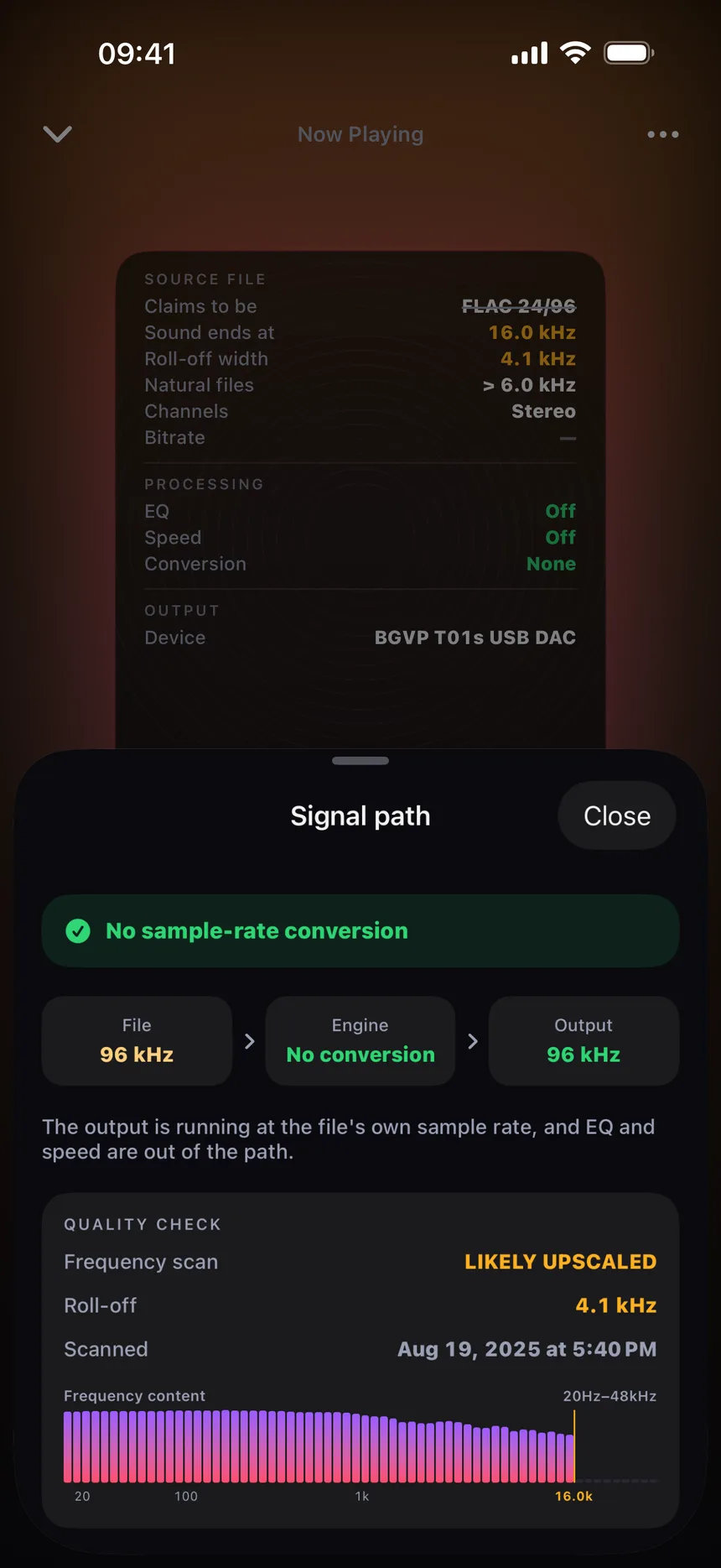
A file that fails doesn't get to show off the specs it claims. The label switches to the evidence: the claim struck through, where the sound really stops, and the line that decided it.


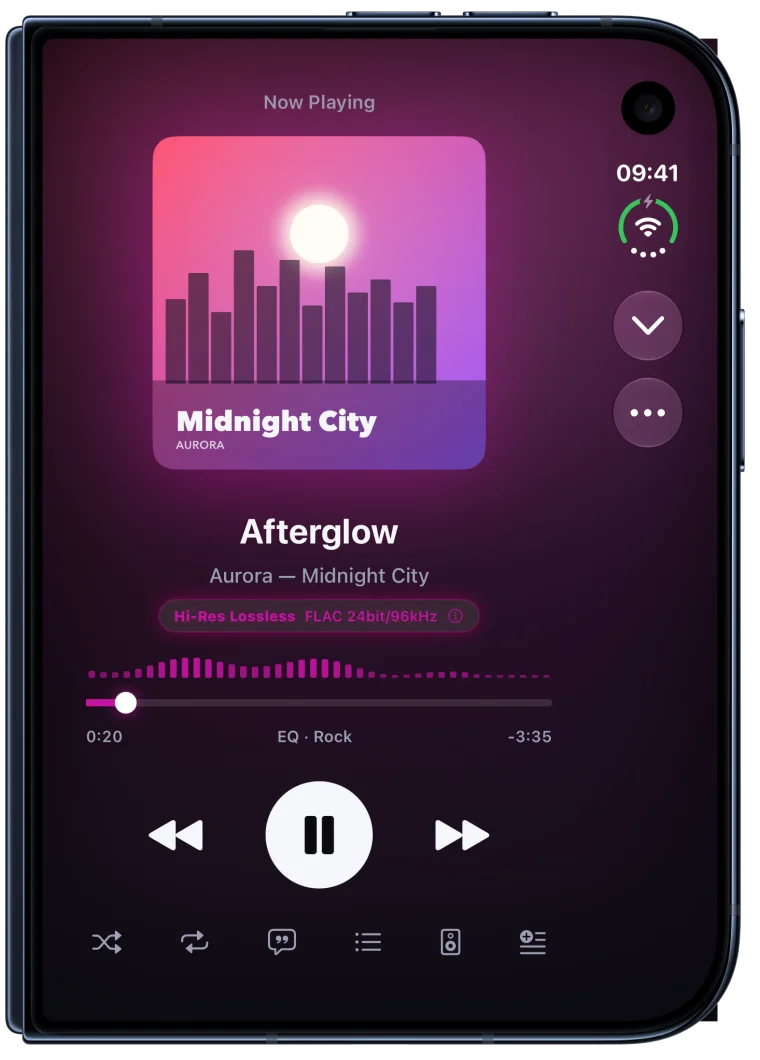

On iPhone DuoFolded, it's the player you know. Open it and the label sits right beside the music, no flipping needed.
Three signals.
Not one number.
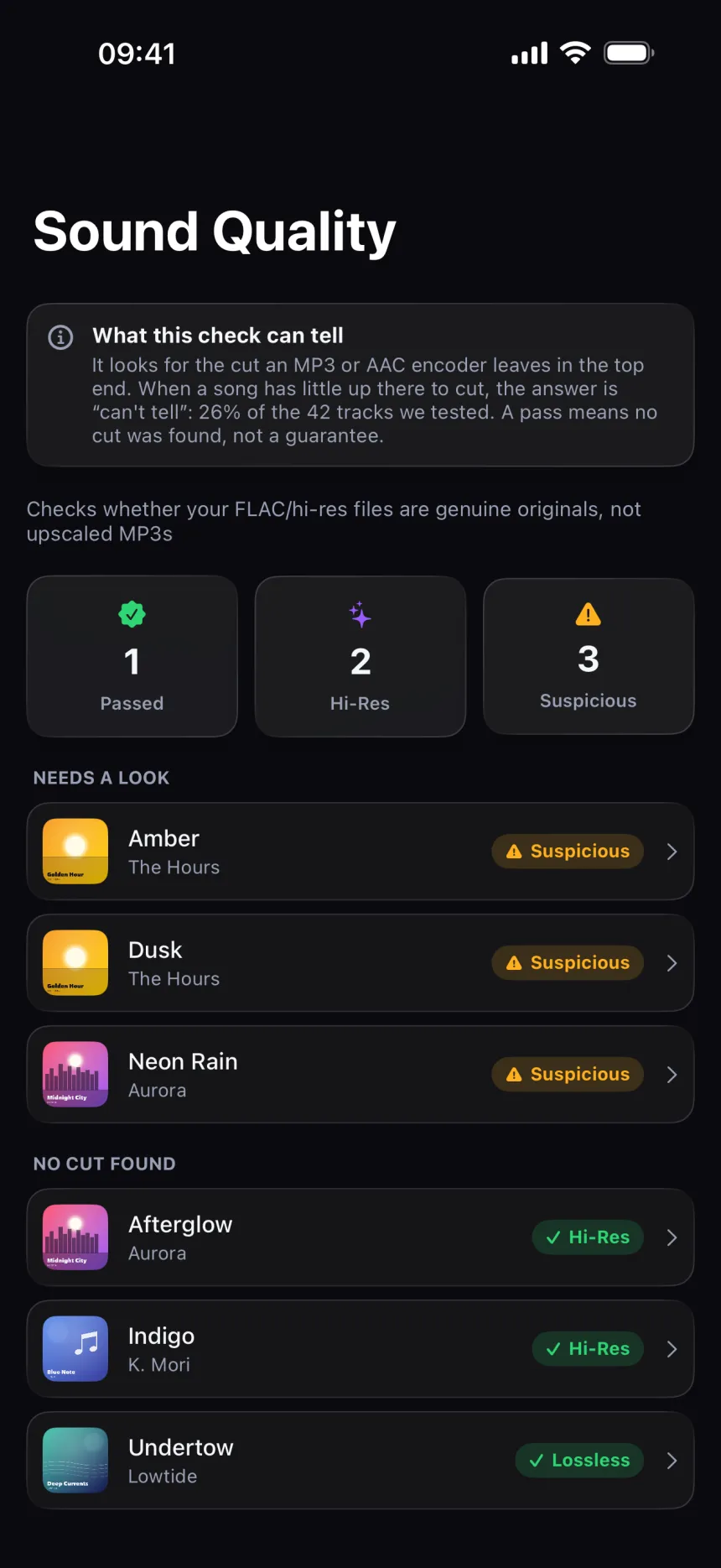
Every lossless file you import is decoded and analysed on your phone. Real recordings fade out and wander. An encoder's cut doesn't.
- How steep the top end fallsA lossy encoder leaves a cliff, not a slope.
- Whether it fits the claimed rateA 96 kHz file that stops at 16 kHz has some explaining to do.
- Whether the edge stays putThe same cut in the same place across the whole track is a fingerprint.
It's careful what it says. A flagged file reads “may be upscaled”, never “fake”. When the evidence can't point either way, Lacquer says it can't tell.
See every second
of the file.
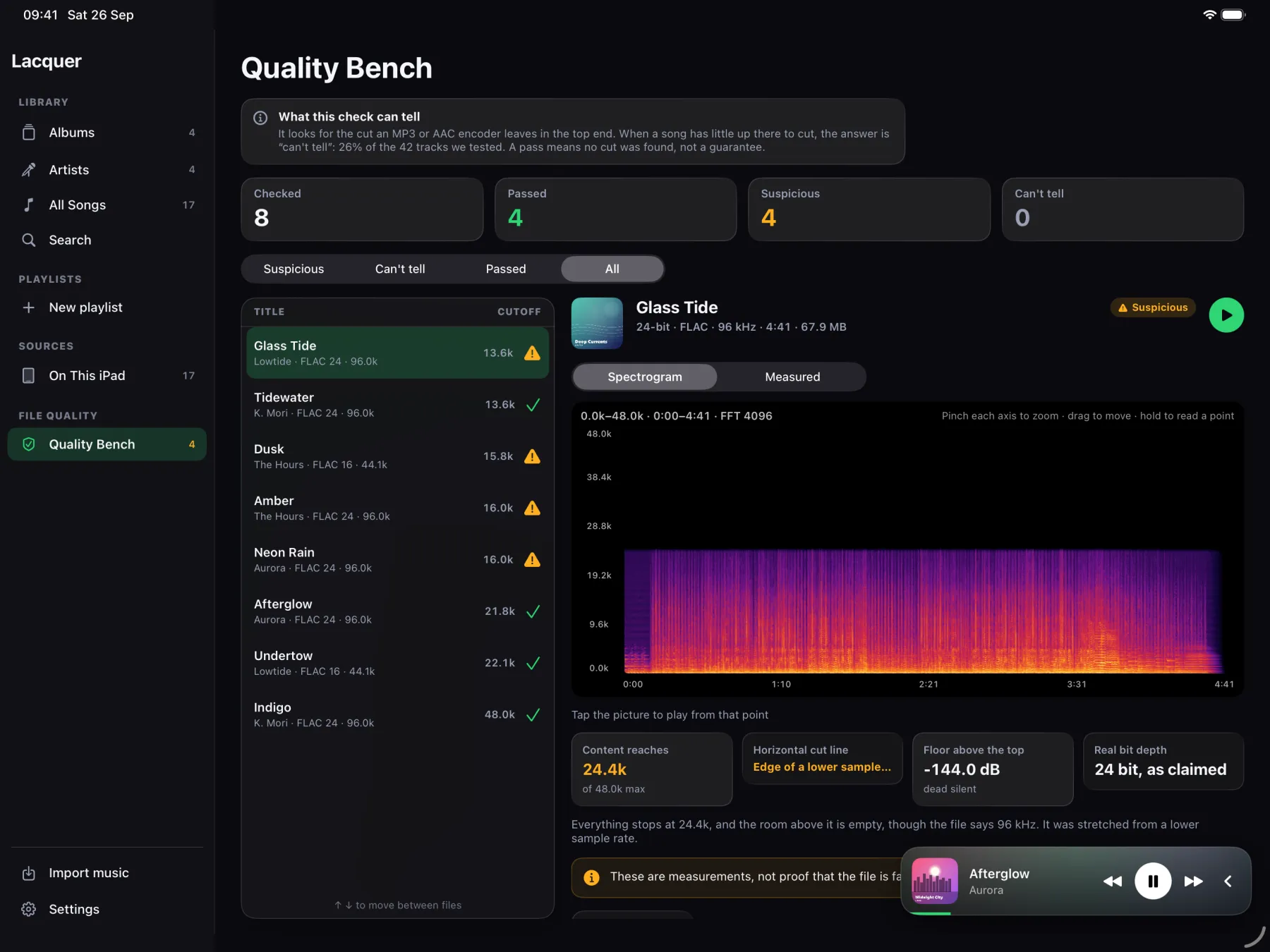
The full-file spectrogram draws the entire track with time, frequency and dB axes, not three short samples. Tap anywhere on it to play from that exact point.
The Measured tab shows the numbers behind the verdict, including how many bits the file really uses. Turn your iPhone sideways for full screen. Viewing is free; fine zoom is Pro.
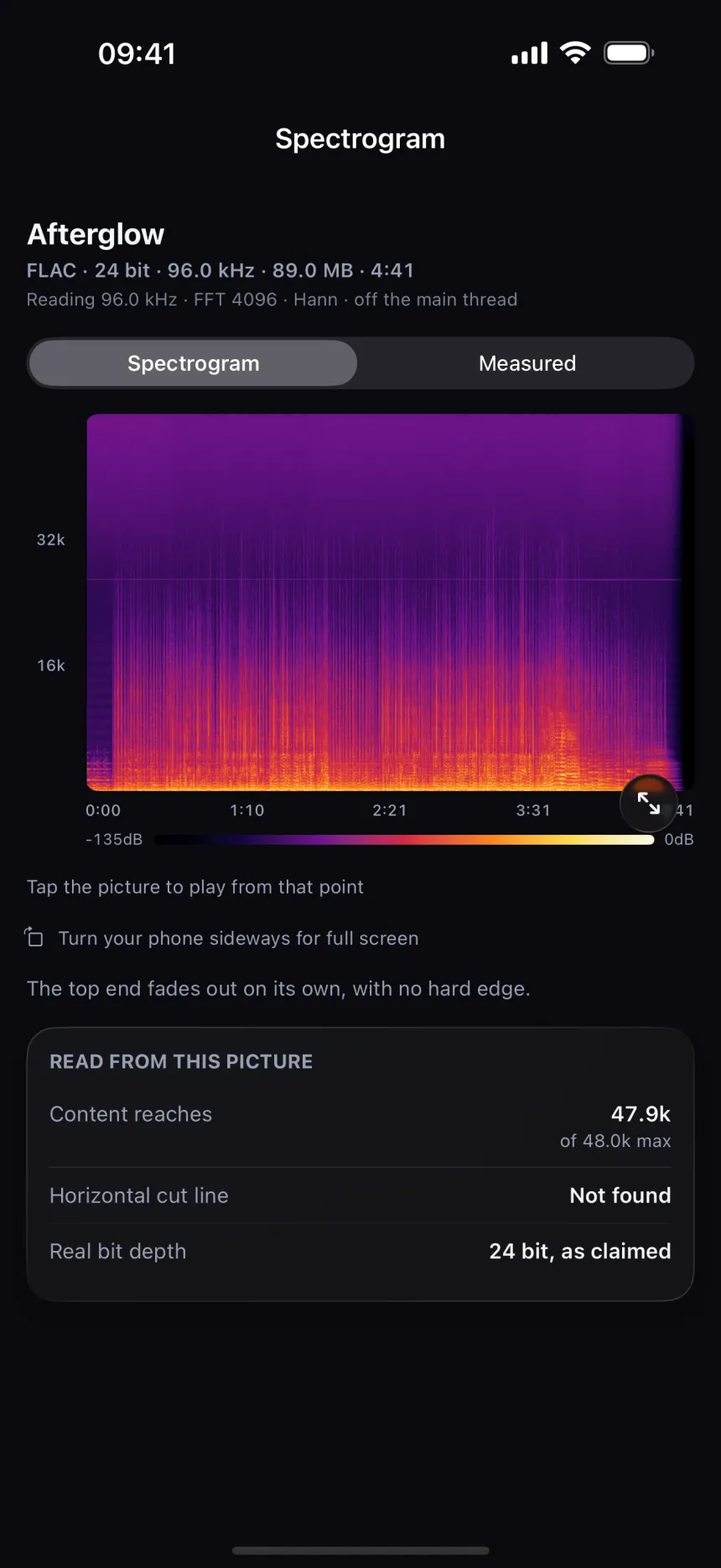
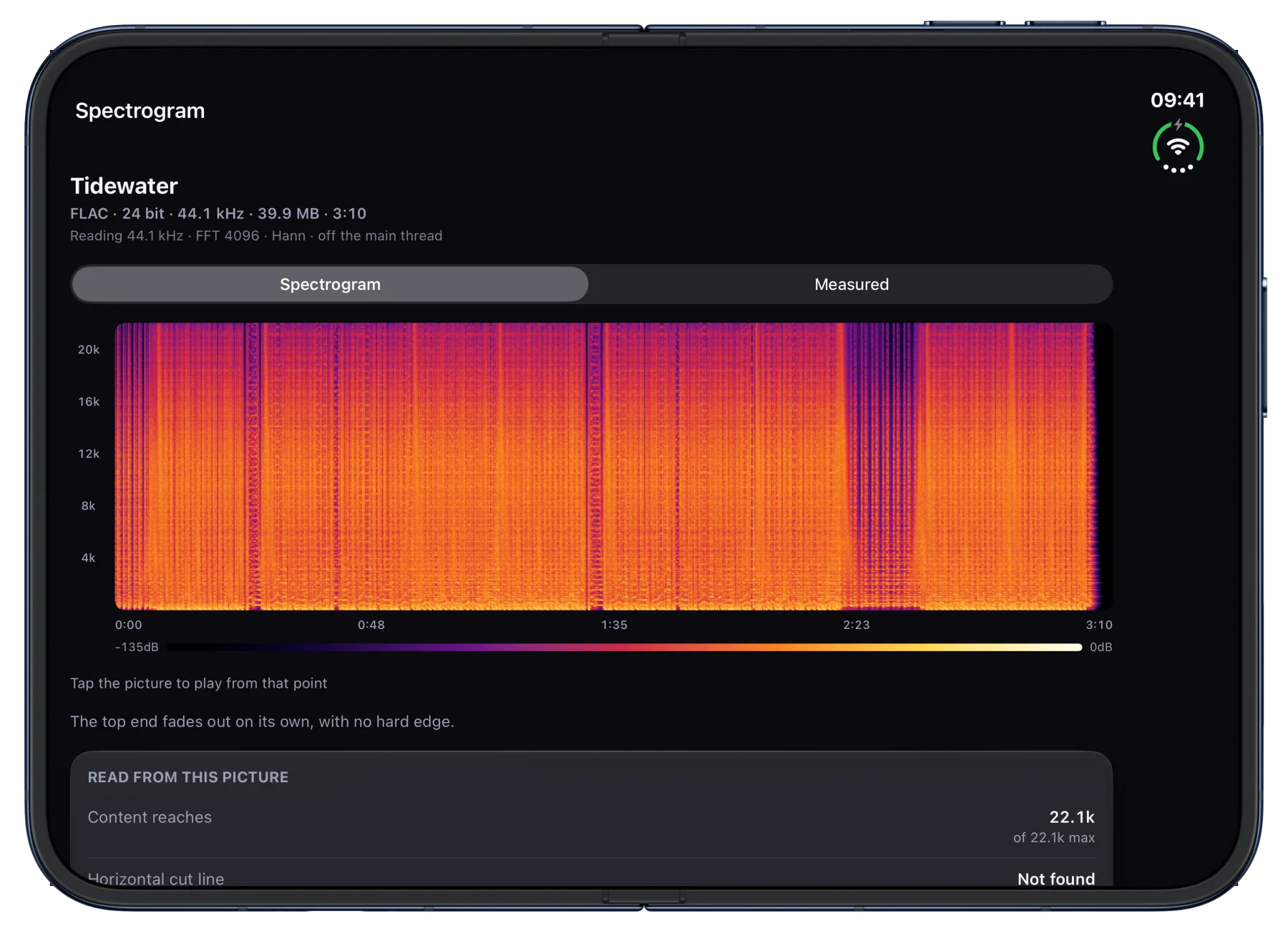
On iPhone DuoJust open it. The whole track spreads across the inner screen, with the numbers right underneath.
Know what reaches
your DAC.
File, engine and output side by side, and a plain answer about whether anything is resampled on the way. Switch on “match the file's rate” and EQ and speed step out of the path entirely.
iOS won't tell an app which rates a DAC accepts, so Lacquer asks for each one and reads back what the hardware actually did.
And a player worth keeping.
Your own library, gapless, with the artwork setting the colour of everything around it.

Find out what you
really own.
Free to download, with ads. Full Quality Check results for your first 10 files are free — Pro shows them for every file and adds DSD, more formats, network players, the equalizer, unlimited and cloud imports, with no ads.